AI Skinny Filter &
Weight Loss Simulator
Visualize your slimmer self with our AI Skinny Filter. Our smart weight loss simulator transforms your body realistically in seconds, just upload your photo, adjust your preferences, and see instant results.


Upload Your Photo
How to Use AI Skinny Filter?
Step 1
Upload Your Photo
Upload a clear photo where your face or body is visible. This helps the AI skinny filter detect your shape accurately. For best results, use a well-lit image with a natural posture.
Step 2
Get Slimmer Look
Click the Generate button and let the skinny filter AI work automatically. It applies a gentle body slimming filter to reshape proportions and create a natural slimmer look.
Step 3
Preview and Download
Preview your result in seconds. Download your slimmer image and share it with friends, family, or on social media platforms.
Key Features of AI Skinny Filter
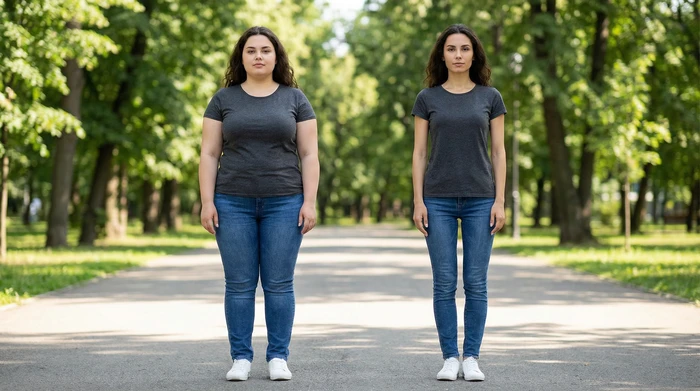
Natural Body Slimming
AI skinny filters gently reshape your body while keeping natural skin texture and image details. This body slimming filter avoids heavy edits, so your photo still looks real and gives you a clean, natural slimmer look.
- Preserves natural skin texture and photo details
- Uses AI for realistic body slimming results
- Avoids fake or over-edited appearance
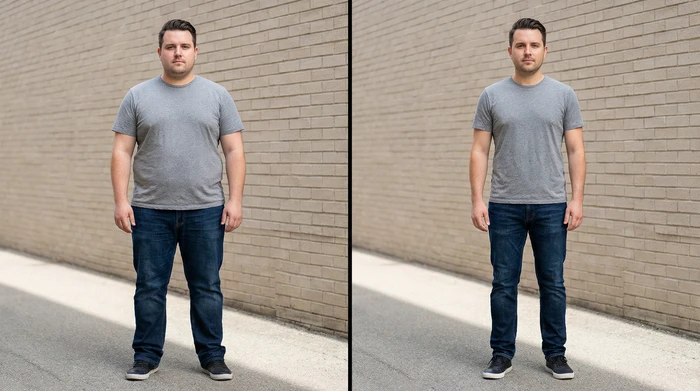
Consistent Results Across Photos
The skinny filter AI delivers consistent slimming results across different photos. Whether you upload a selfie or a full-body image, the AI skinny filter applies the same quality effect every time.
- Works reliably on selfies and full-body photos
- Delivers consistent slimmer look results
- Suitable for everyday and social media photos
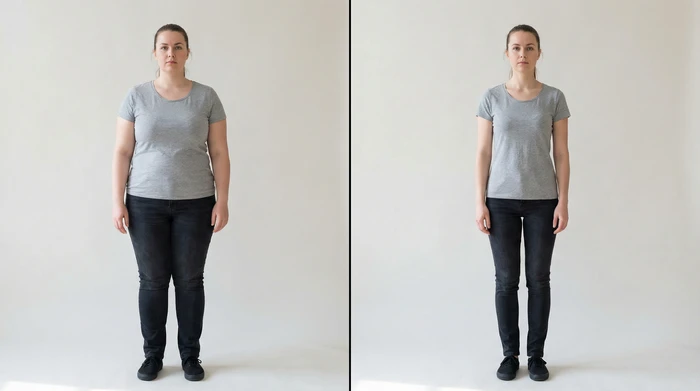
High-Quality Output
This AI skinny filter works as a visual weight loss filter without reducing image quality. Your final photo stays sharp, clear, and ready to share.
- Maintains high image resolution
- No blur or distortion after slimming
- Ideal for sharing online or with friends
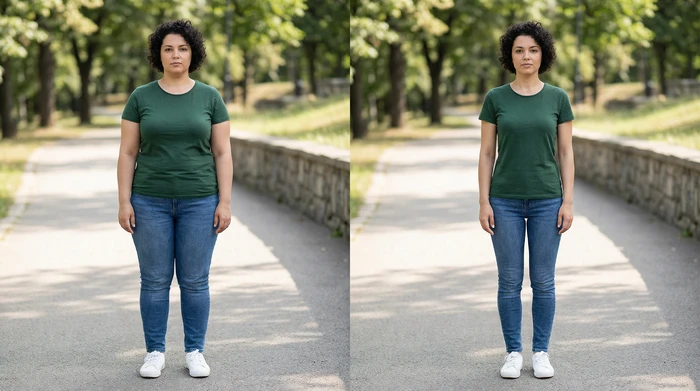
Reduce Double Chin Appearance
The skinny filter AI detects facial features and gently reduces the appearance of a double chin. This helps define your jawline naturally.
- Improves jawline definition naturally
- Subtle facial slimming using AI
- Keeps your original face features intact
Why Choose Us
Easy for Everyone
AI skinny filter is made for all users, even beginners. You don't need any photo editing skills or technical knowledge. The process is simple, upload a photo, apply the filter, and get a slimmer look in a few seconds.
Free to Use & No Signup Required
You can try the AI skinny filter completely free. There is no signup, no account creation, and no hidden steps. This means you can start instantly without signup.
Secure to Use
We respect your privacy. Your photos are processed securely, are never shared with anyone, and are automatically deleted after processing.
Fast and Instant Results
The AI works quickly and gives results in a few seconds. You don't have to wait or deal with slow processing. Upload your image and instantly see a natural slimmer look.
Natural-Looking Results
Our AI skinny filter makes small, smooth changes so your photo still looks real. It does not over-edit your body and keeps your natural shape and details.
Works for All Body Types
The AI adjusts automatically for different body shapes and photos. Whether it's a selfie or a full-body image, the slimming effect looks balanced and clean.
See AI Skinny Filter Results
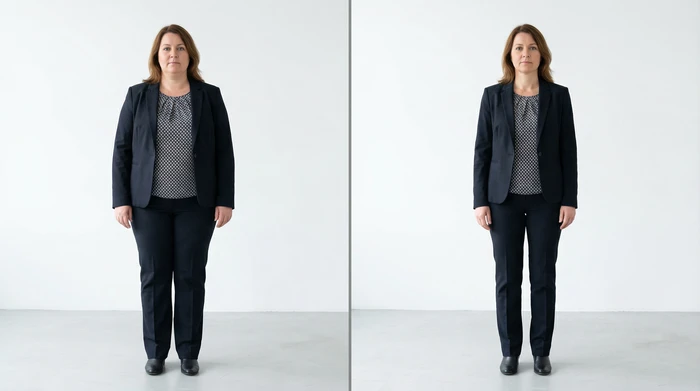
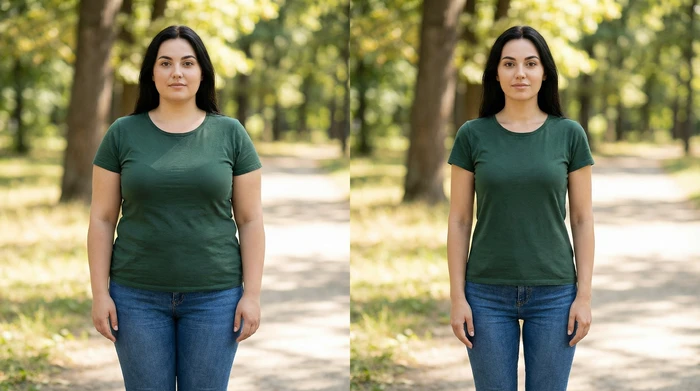
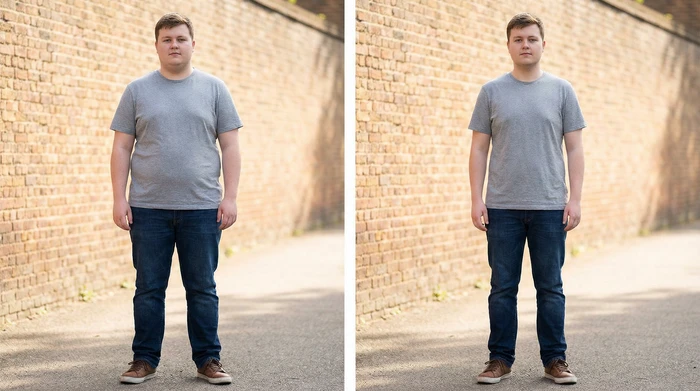
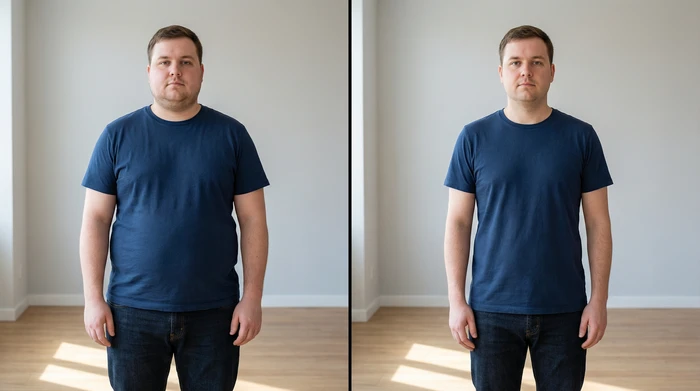
What Our Users Say About Us
I use this tool regularly for my photos. The edits look realistic, and the background stays clean. It saves me a lot of time when editing.

Emily Roberts
Content Creator, USA
The quality is impressive. The background is not distorted, and the body edits look clean. It's a useful tool for quick client previews.

Lukas Weber
Freelance Photographer, Germany
I like how subtle the slimming effect is. It enhances my body shape without changing how I actually look. The photos feel more polished and confident, perfect for social media.

Laura Meier
Lifestyle Blogger, Germany
This AI skinny filter works better than other apps I tried. It keeps body shape realistic and doesn't blur clothes. Very easy to use and fast.

Jason Miller
Digital Marketer, Canada
I use the skinny filter to lightly refine my photos, and the results look very natural. My waist and body shape look slimmer, but nothing feels fake. Clothes stay clean and the background doesn't warp.

Rachel Adams
Content Creator, USA
I like how subtle the changes are. My photos still look like me, more polished. It's great for social media posts and brand work.

Sophie Lawson
Fashion Blogger, Australia
This skinny filter works better than anything I've tried. It slims the body without stretching arms or legs, and the photo still looks realistic. It's simple, fast, and gives great results.

Tom Williams
Casual User, UK
FAQs About AI Skinny Filter
AI skinny filter is an online tool that helps make your face or body look slimmer in photos. It uses AI to gently reshape your image and give you a natural slimmer look.
The skinny filter AI scans your photo to understand body shape, posture, and facial features. After that, it applies a body slimming filter that reduces width in a natural way.
Anyone can use it. The tool is designed for beginners and regular users alike. If you want a quick and easy way to see a slimmer look in photos, this tool is for you.
Using the AI skinny filter is very easy. Upload your photo, click the generate button, and the AI will instantly create a slimmer version of your image. No editing skills or apps are needed.
Yes. A skinny filter works on both face photos and full-body images. It can slim facial areas like the jawline and also adjust body proportions for a balanced slimmer look.
Yes. The filter is designed to keep your photo realistic. It preserves skin texture, facial details, and image quality so you still look like yourself.
Yes. You can use the AI skinny filter for free. There is no signup required, so you can try it instantly without creating an account.
Yes. Your privacy is important. Your photo is processed securely, and your original image remains unchanged. The photo is not shared, and you stay in control of your data.
Yes. After previewing your result, you can download your slimmer image and share it with friends, family, or on social media platforms.

See Your Slimmer Look with AI
Use our AI Skinny Filter to gently slim and balance body proportions while keeping your photo natural.